Pay online · 2 MIN READ
Pay online from your invoice
Availability: Online customer payments are switched off for launch. The screens below use fictional development data. Gateway setup and invoice collection must pass sandbox verification before a business goes live. PowerTranz and Fygaro remain gated while their approved hosted-test setup is obtained.
Use your existing invoice
- Open the invoice for your order or request. Review the items, service work, materials, delivery or shipping fees and tax.
- When the business offers online payment, the invoice shows Awaiting payment and a Pay online button.
- Review and authorize the invoice, then select Pay online. Checkout opens with the business’s selected gateway; enter card details only on its hosted checkout.
- Return to Island Auto Market and select Refresh payment status. A browser success page does not by itself mean payment was verified.
- Once confirmed, the same invoice shows Payment received, the gateway and transaction reference. You and the business owner receive separate email copies of the payment receipt.
A payment receipt records payment. Delivery, cross-island shipping and service completion remain separate responsibilities. The current invoice collection supports the TTD amounts already used in the app; it does not silently convert currencies.
If something goes wrong
If the card was charged but the invoice remains awaiting payment, keep the provider receipt and contact support with the invoice and transaction references. Do not start another payment. Finance can reconcile a successful payment in the correct business’s provider dashboard. Never send card numbers, CVV or gateway secrets in chat.
Screen guide
Fictional development examples. Prices, balances and account details are not real transactions.
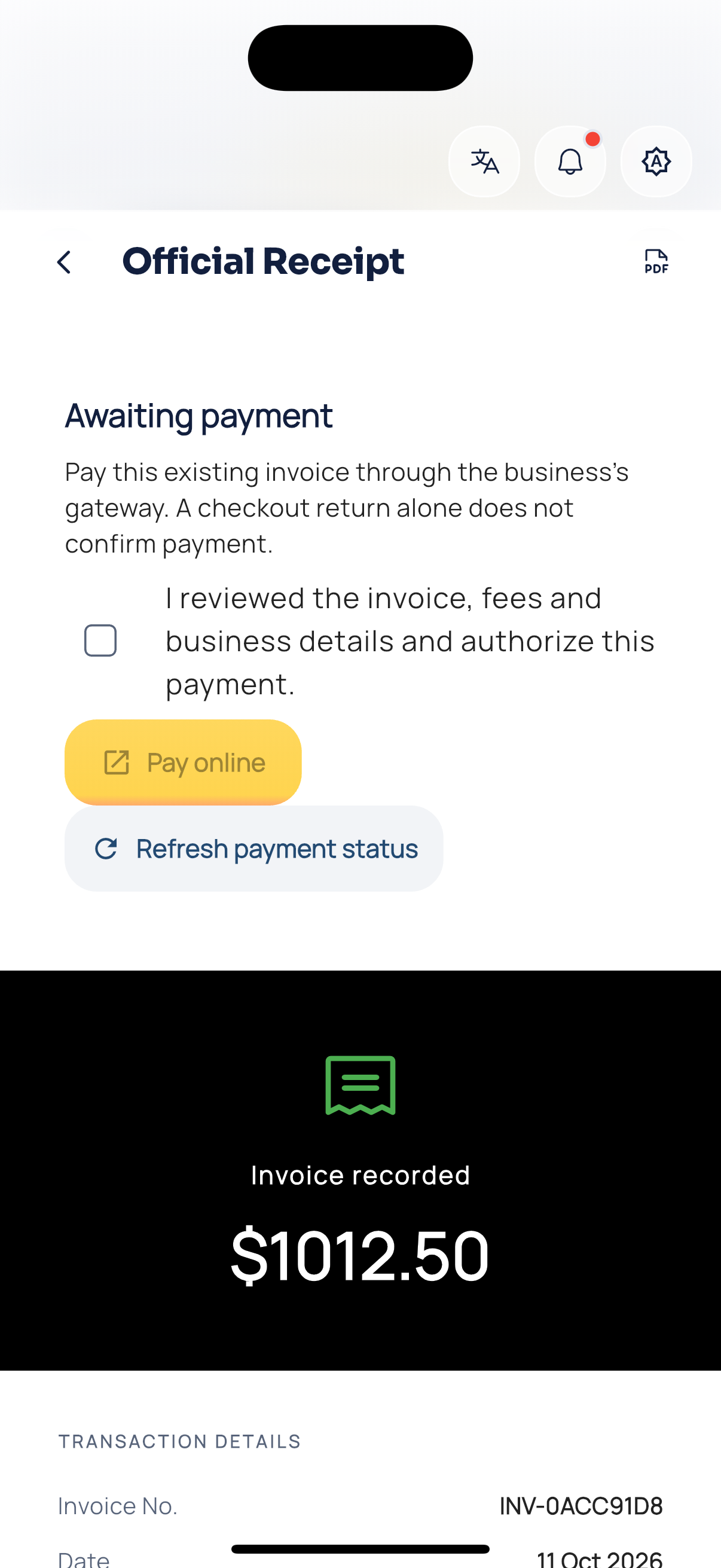
Customer online invoice.
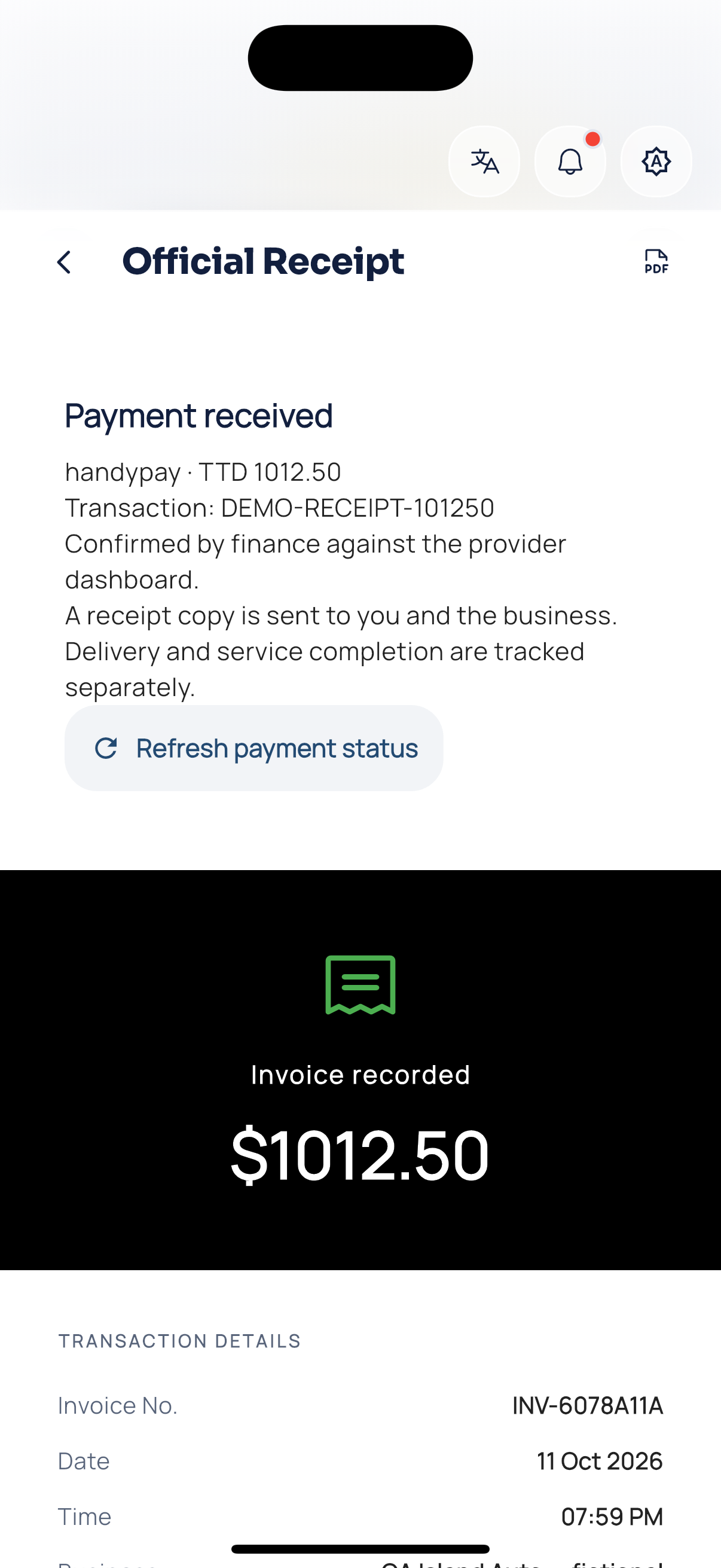
Customer online receipt.