Pay online · 2 MIN READ
Maintain gateway secrets, receipts and audit
Availability: Online customer payments are switched off for launch. The screens below use fictional development data. Gateway setup and invoice collection must pass sandbox verification before a business goes live. PowerTranz and Fygaro remain gated while their approved hosted-test setup is obtained.
Support handover
- Use Businesses & users or the linked business in a user record to find gateway setup and recent payment activity.
- Review Configuration audit and payment confirmations. Record the support case reference when changing configuration or confirming payment.
- Before rotating, switching or removing credentials, reconcile outstanding checkout sessions. Old sessions cannot automatically verify with a different credential version.
- Replace secrets with fresh values supplied through an approved secure channel. Saved credentials are write-only; no admin can reveal them.
- When a confirmed invoice’s email fails, use Retry queued receipt emails. Accepted/unknown provider results must be reconciled before resending, to avoid duplicate receipts.
- Keep payment, invoice and provider references together for refunds, disputes and customer support. Gateway customer receipts supplement the app’s itemized invoice copy.
App email sends use Amazon SES and record MessageId in email_logs as Transactional-Invoice. Customer and business copies use different delivery keys; repeated payment confirmation does not create extra copies. Receipt delivery failure does not undo a received payment.
Sandbox/live configuration is independent of development/staging/production. The current hosted setup is staging, customer charging remains off, and no production accounts or keys are copied into development.
Screen guide
Fictional development examples. Prices, balances and account details are not real transactions.
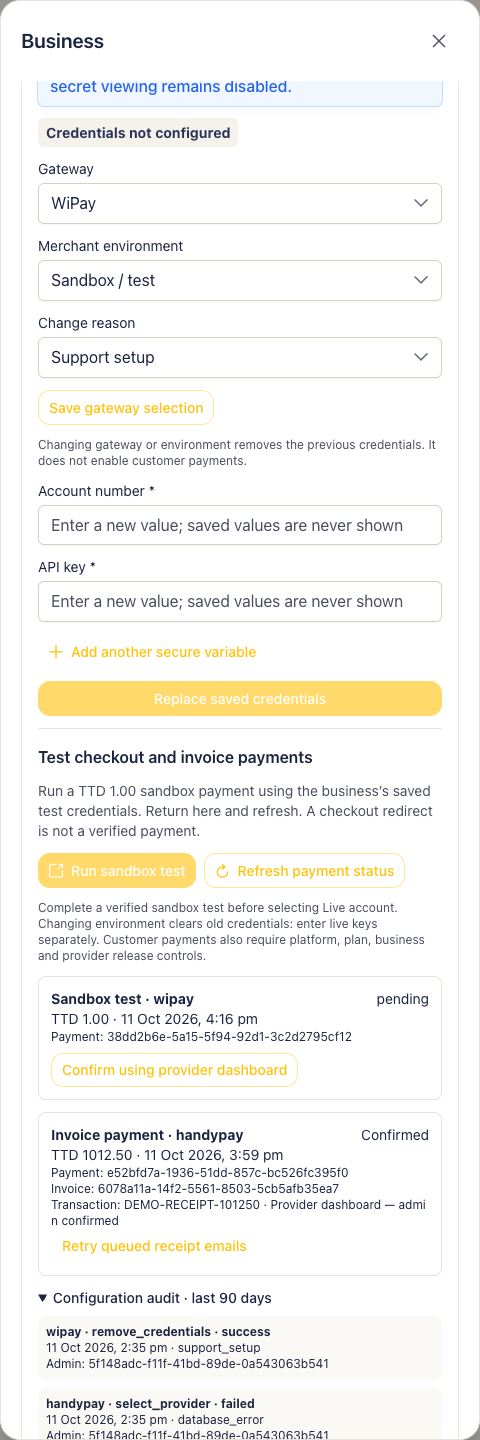
Admin gateway audit.
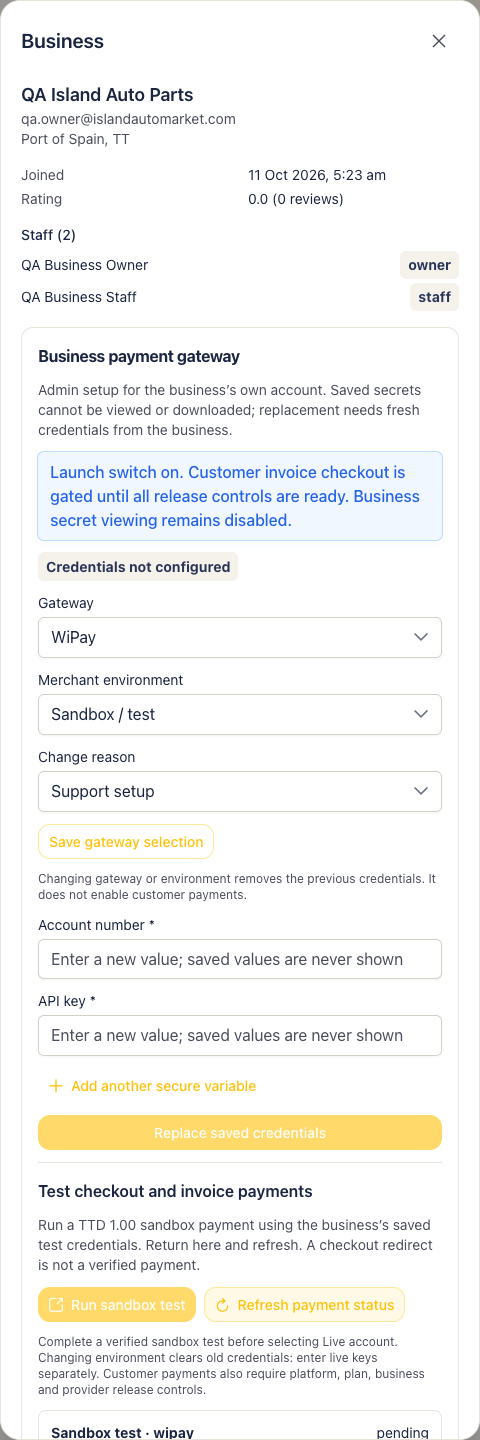
Admin gateway test.