Pay online · 2 MIN READ
Enable online payments for a business
Availability: Online customer payments are switched off for launch. The screens below use fictional development data. Gateway setup and invoice collection must pass sandbox verification before a business goes live. PowerTranz and Fygaro remain gated while their approved hosted-test setup is obtained.
Prepare the existing business profile
- A Super Admin opens Settings → Platform billing → Business online payments. Keep the launch switch off while preparing accounts.
- In Subscriptions → Plans, enable Business online payments on the appropriate plan. Enterprise has the entitlement prepared; the setting can be assigned to another plan later.
- Open Businesses & users, select the business and find Business payment gateway. Users can also open their linked business from their user record.
- Select the gateway and Sandbox / test. Enter new credentials supplied securely by the business, choose the change reason and save. Saved values cannot be viewed or downloaded.
- Run and verify a sandbox checkout, then select Live account and enter the separate live credentials. Switching environments removes the old credentials. An unverified test blocks the live switch.
- The business owner enables Online customer payments in its business profile. Delivery, cross-island shipping and onsite work remain independent options.
- Technical staff release the supported provider adapter only after its tests pass. The platform launch switch, plan entitlement, business preference, live credentials and released provider must all allow payments.
On an eligible invoice, choose Customer pays this invoice online instead of declaring a manually received payment. Existing cash, card and bank-transfer receipts are not reopened for another charge.
Screen guide
Fictional development examples. Prices, balances and account details are not real transactions.
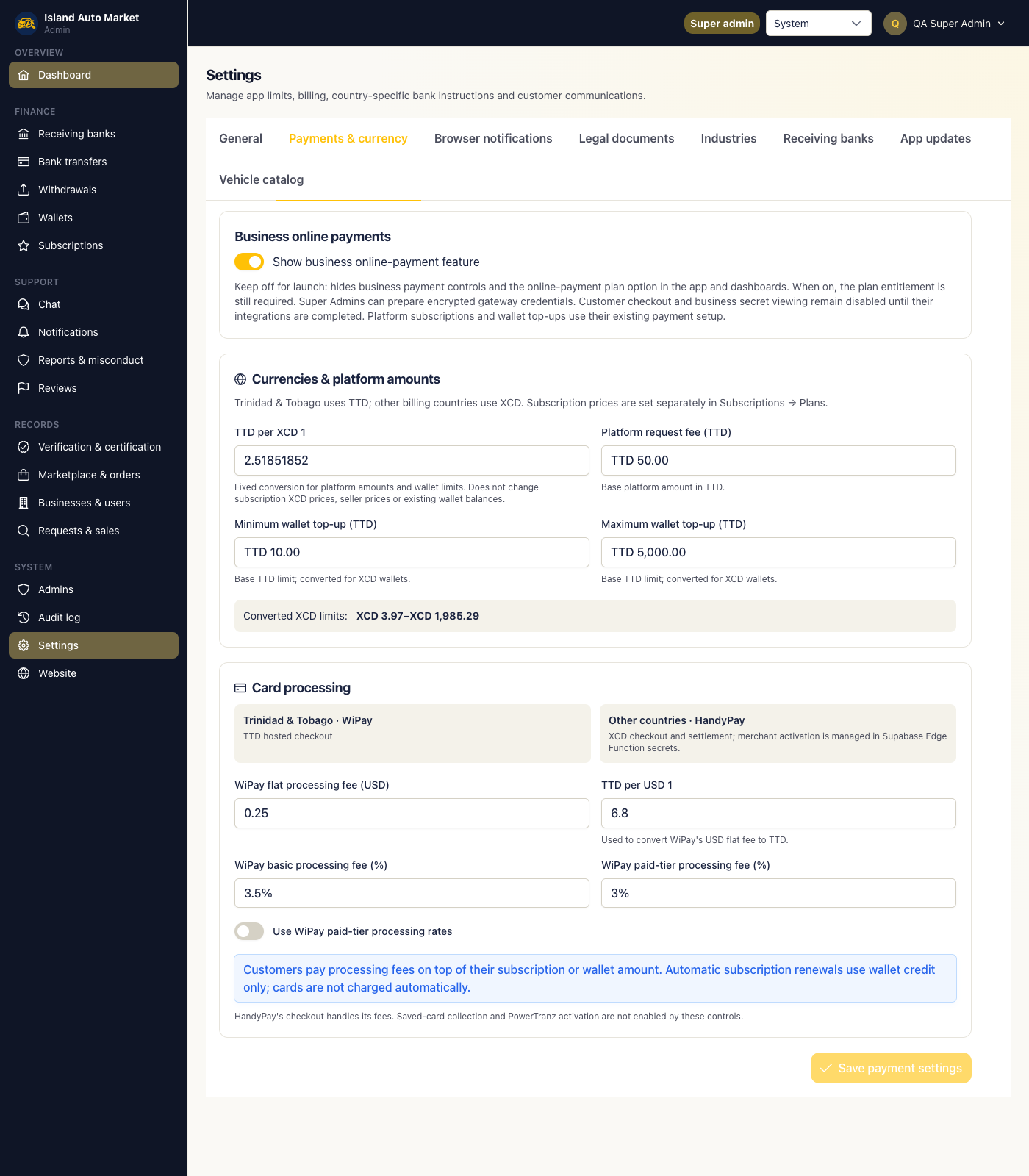
Admin payment switch.
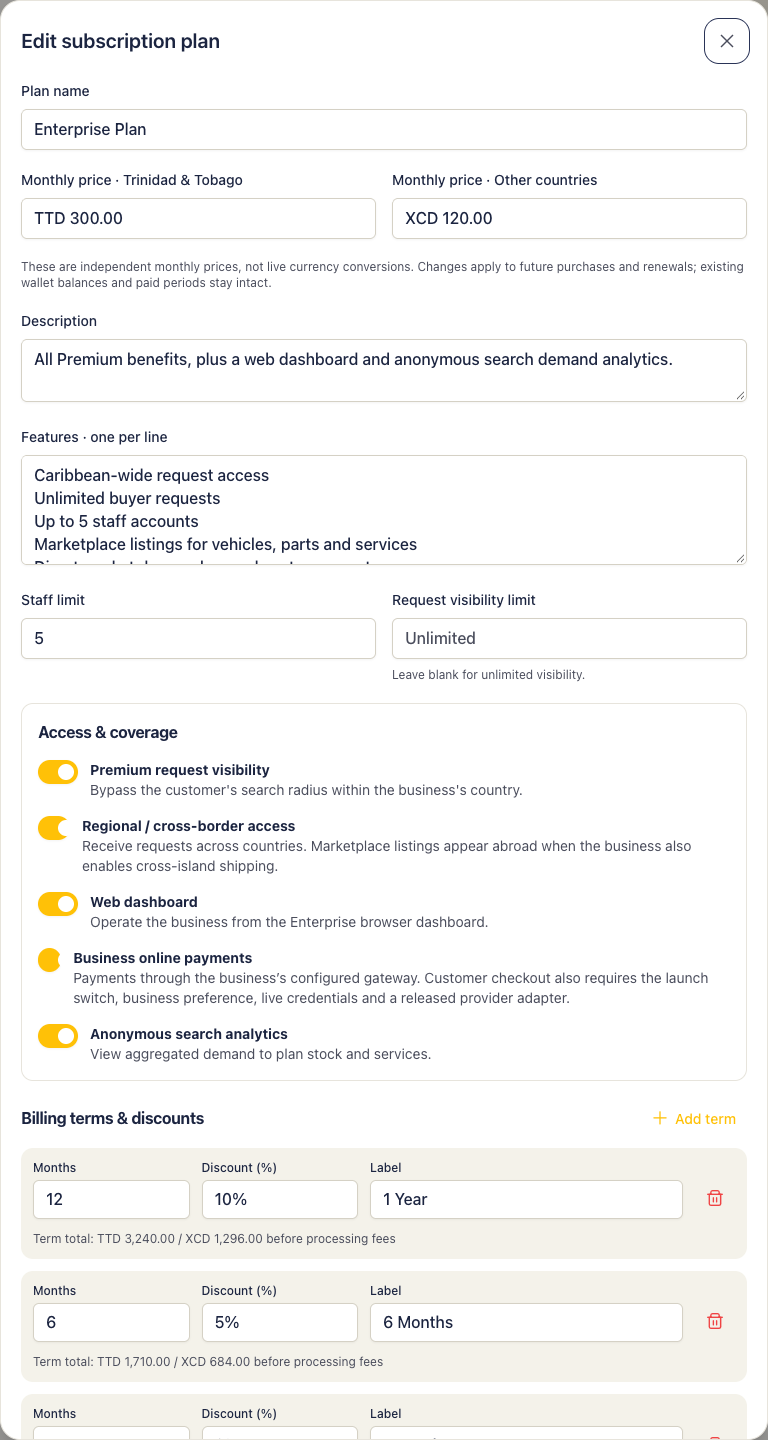
Admin payment plan.
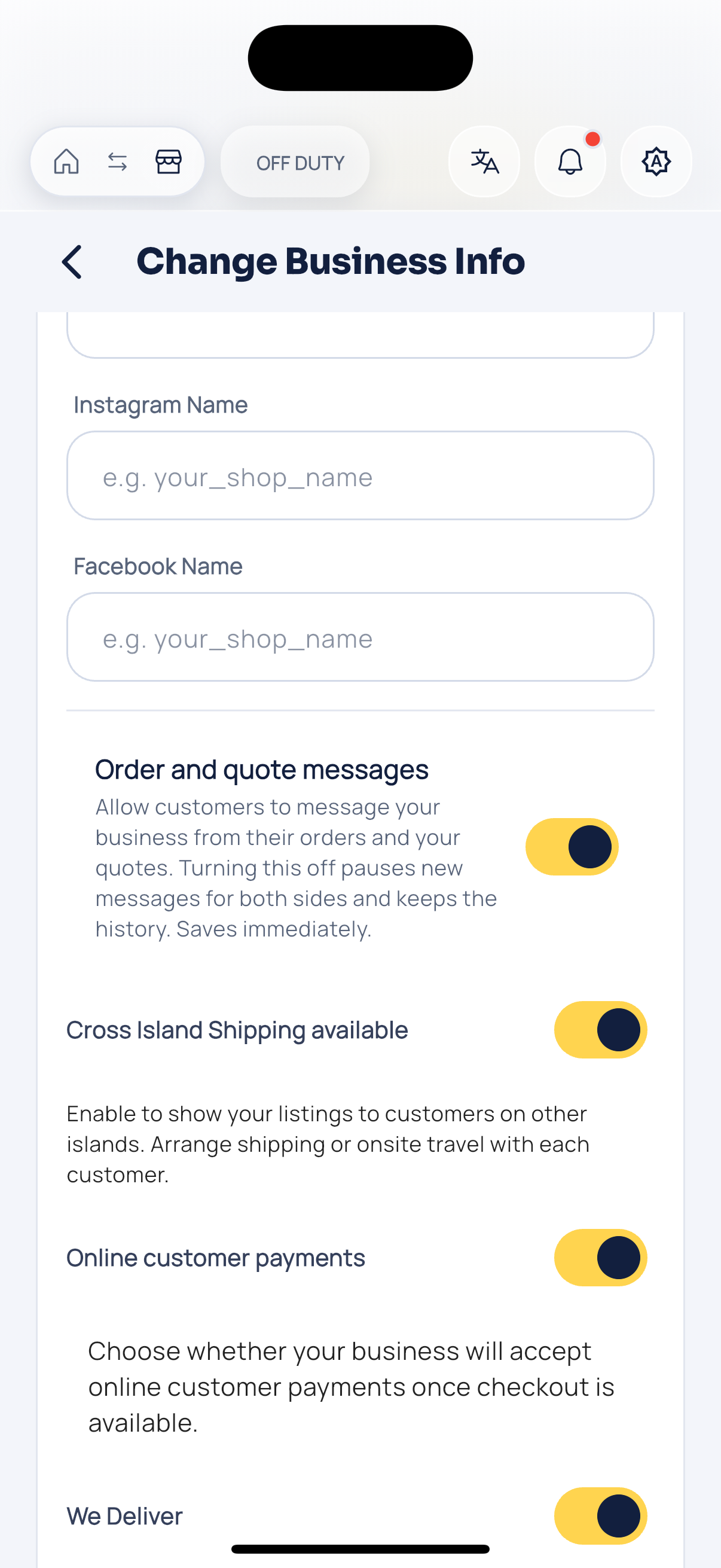
Business online payments.
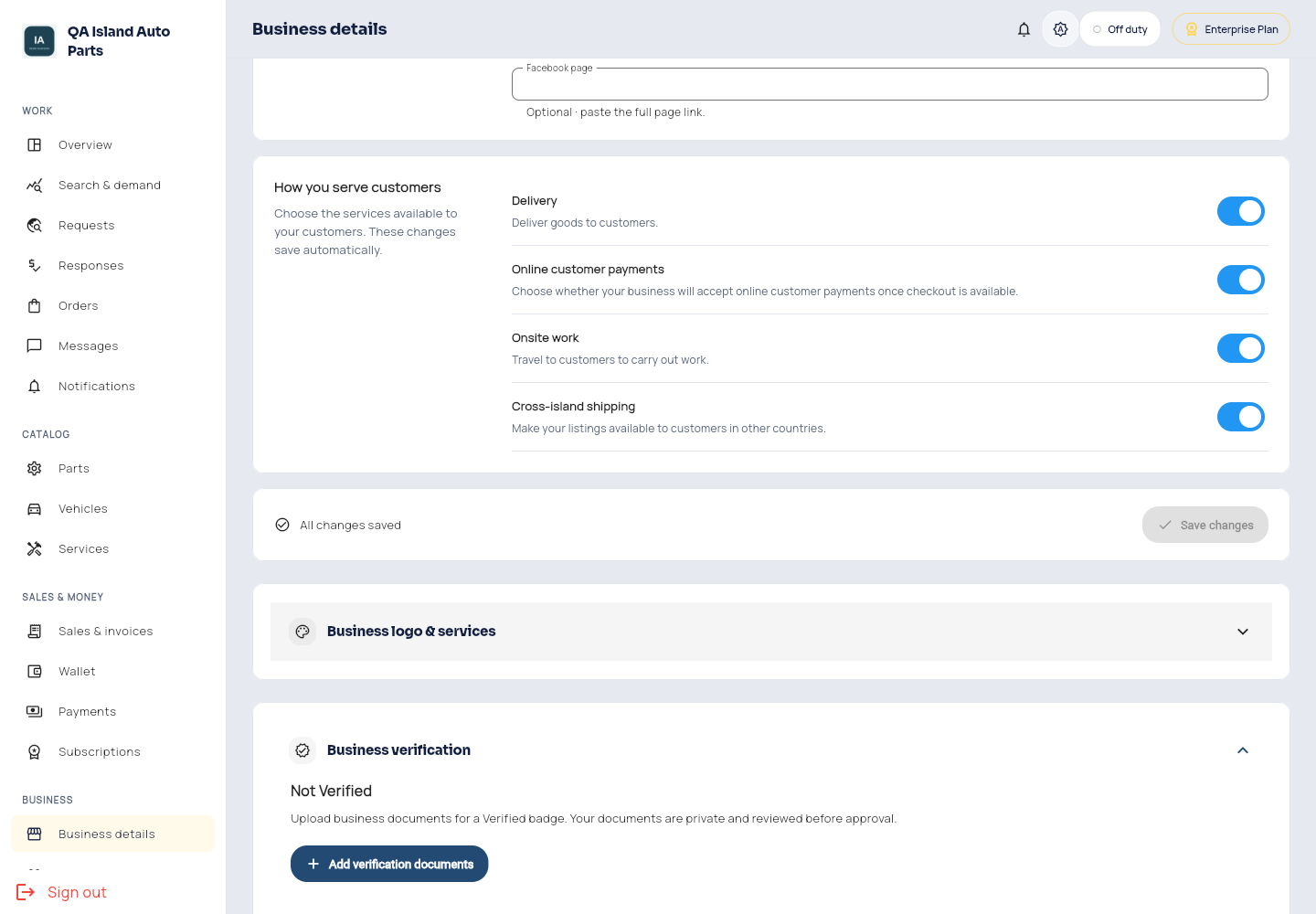
Enterprise online payments.