Customers: Place & Track Orders · 1 MIN READ
Track or cancel a marketplace order
Who this is for: Customers
Steps
- Open Orders and select the order.
- Read its current status, item quantities and business information.
- Use the business contact options for questions or changes.
- If the order can still be cancelled, use Cancel order and confirm.
Before you finish
Cancellation is only available at permitted stages. If the control is unavailable, contact the business or support.
Screen guide
Fictional development examples. Prices, balances and account details are not real transactions.
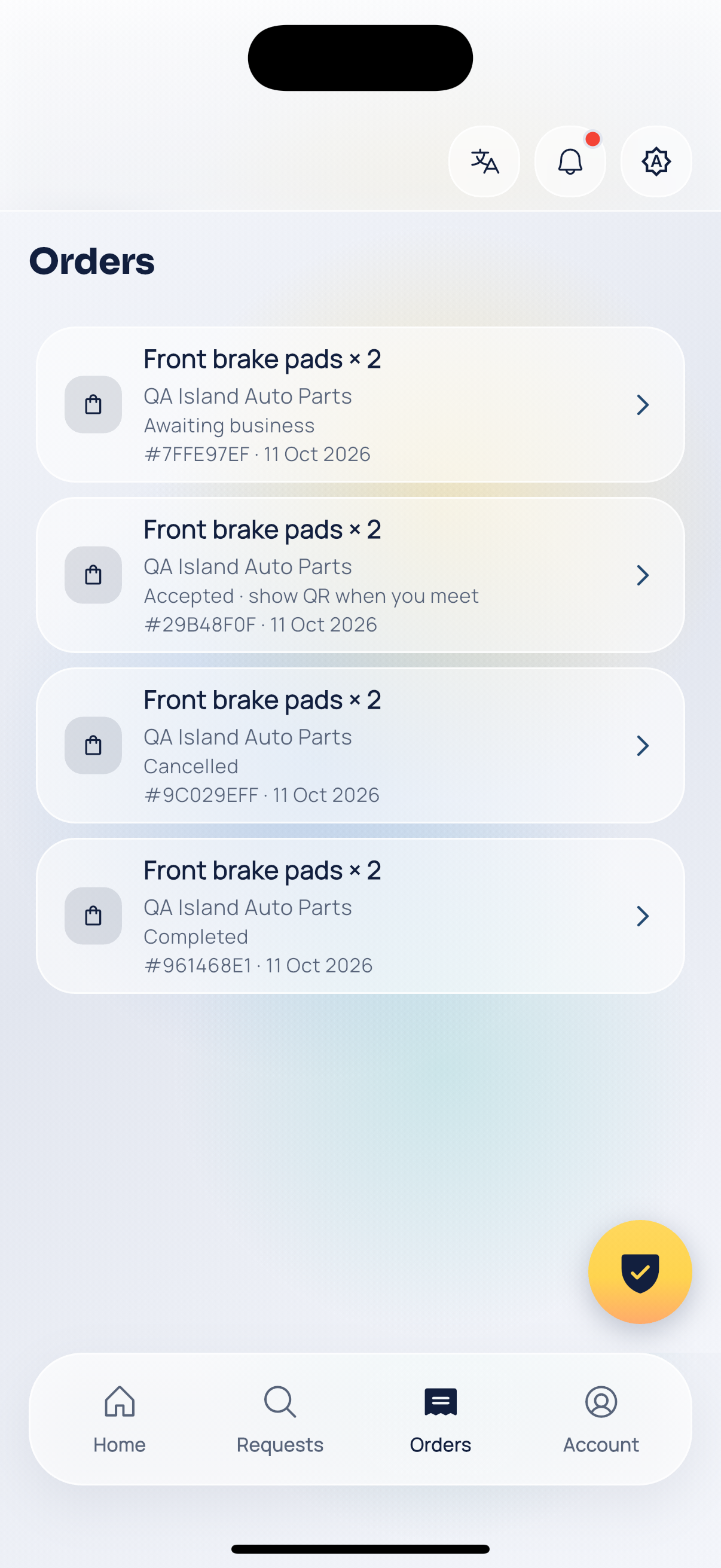
Customer orders.
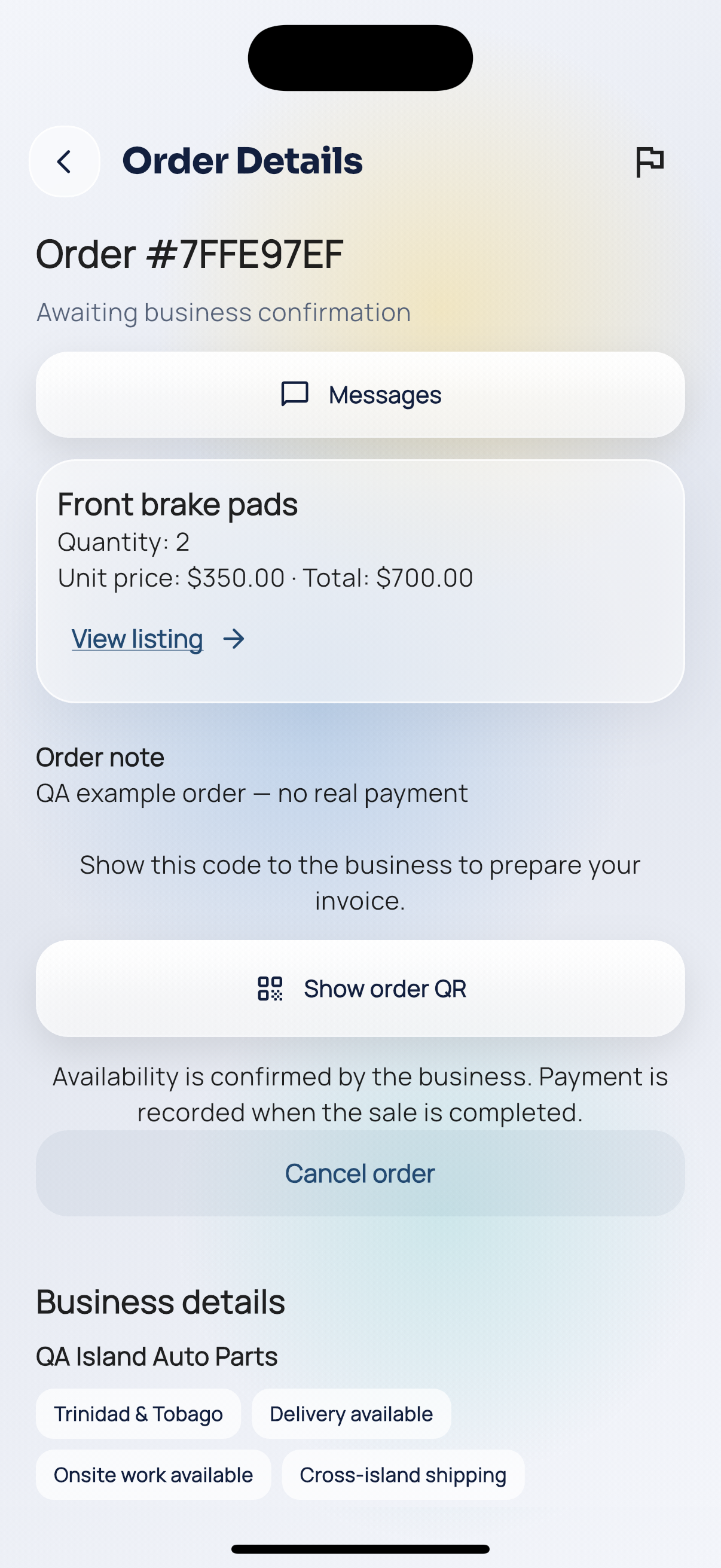
Order pending.
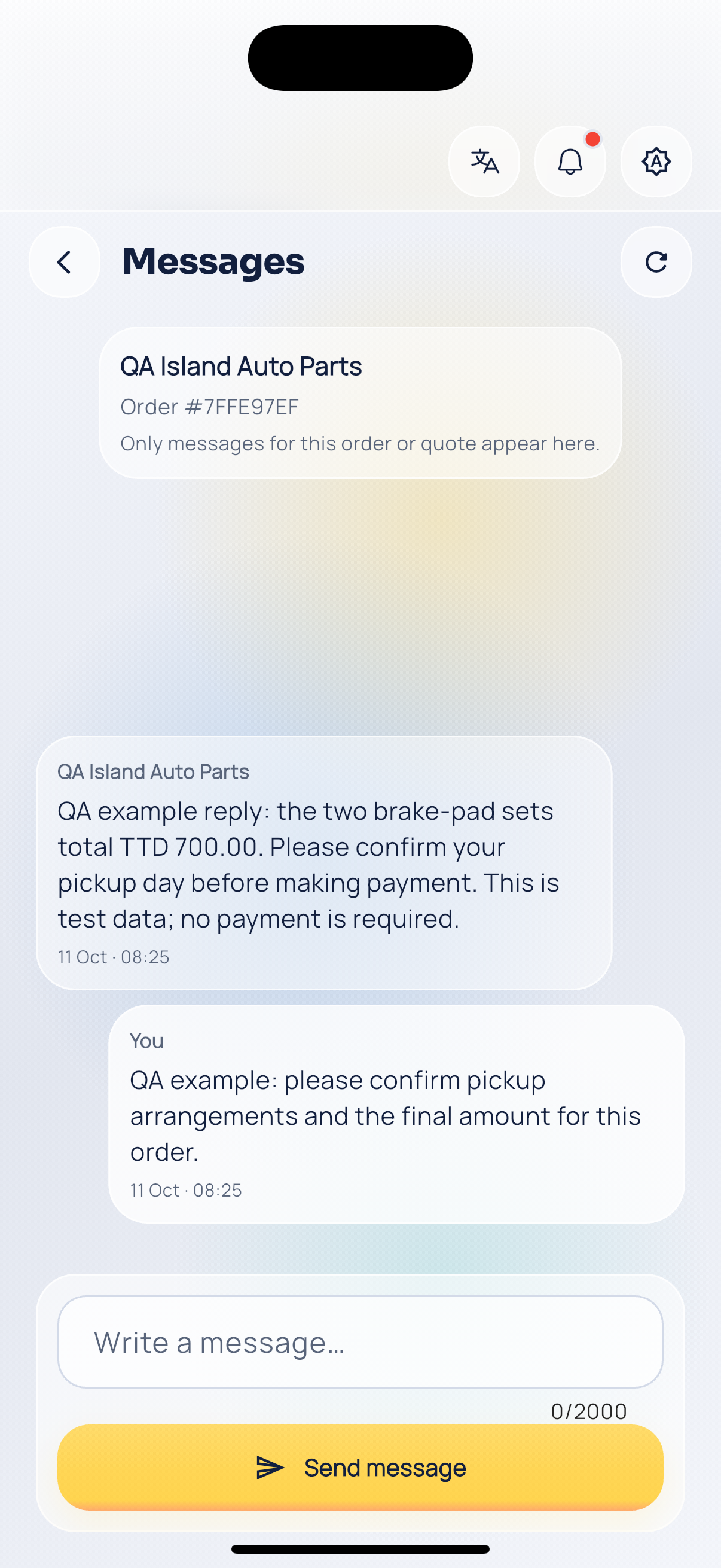
Order conversation.