Customers: Place & Track Orders · 1 MIN READ
Order a listed car
Who this is for: Customers
Steps
- Open the car details and review the make, model, year, condition, photos and listed price.
- Contact the business if you need to confirm the vehicle or viewing arrangements.
- Use the order action and review the details before submitting.
- Follow the order in Orders and arrange the next steps with the business.
Before you finish
A car order is for one car. Completed vehicle sales remove the sold listing from marketplace availability.
Screen guide
Fictional development examples. Prices, balances and account details are not real transactions.
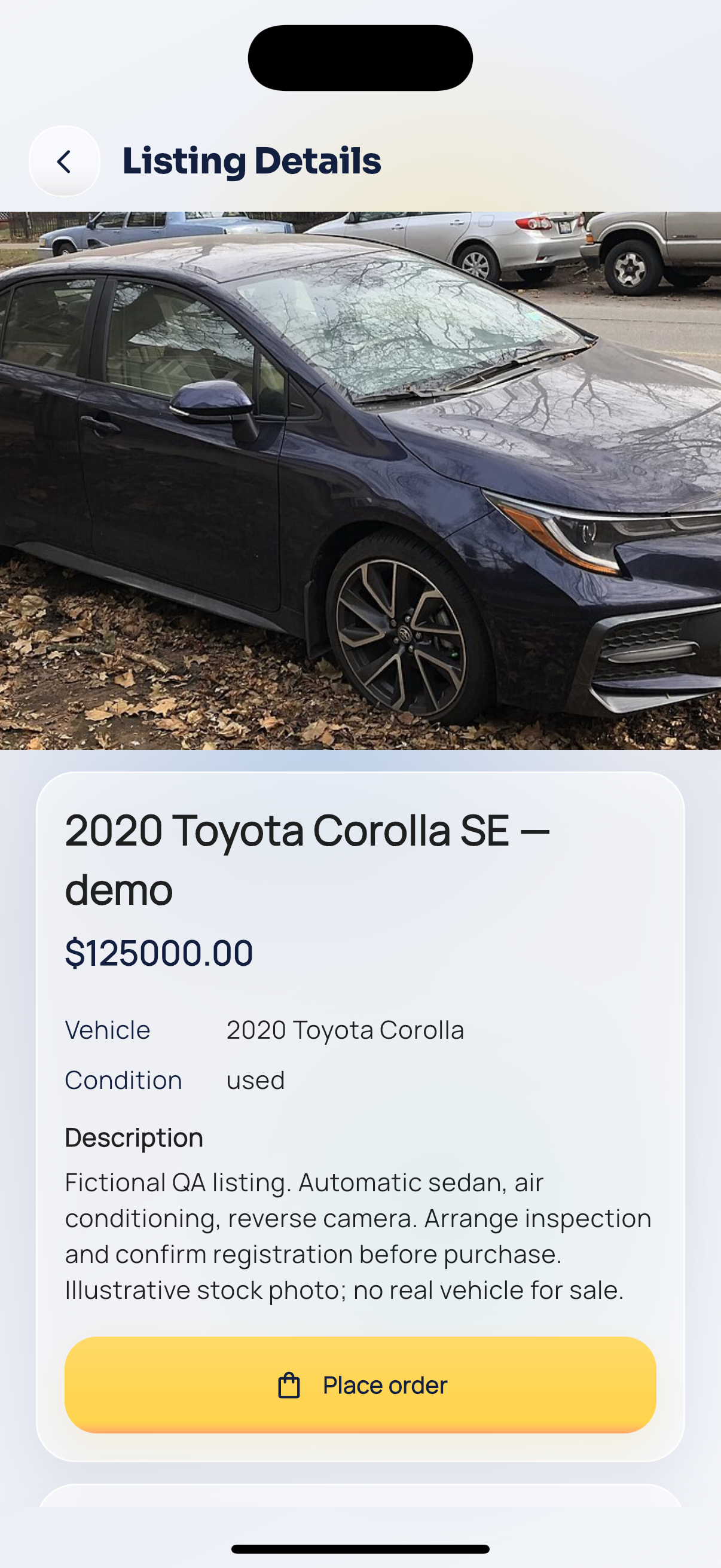
Car details.