Businesses: Orders, Invoices & Fulfilment · 2 MIN READ
Process a direct marketplace order
Who this is for: Business owners and permitted staff
Steps
- Open the business Orders list and select the customer’s order.
- Review its listing, quantity and customer note. The note may contain delivery requirements; an order does not automatically verify the customer’s destination.
- Use Messages on that order to agree availability, final price and delivery arrangements.
- Accept or decline a pending order from its details page. Receiving new orders requires eligible business access; the app explains when a response action is unavailable.
- Follow the order QR/scan and invoice-review steps before recording the sale.
- Review the invoice and complete the permitted sale flow.
Before you finish
Messages stay within the selected order. Completing the sale updates tracked stock or vehicle availability and makes the conversation read-only. Unlimited-stock parts remain available.
Screen guide
Fictional development examples. Prices, balances and account details are not real transactions.
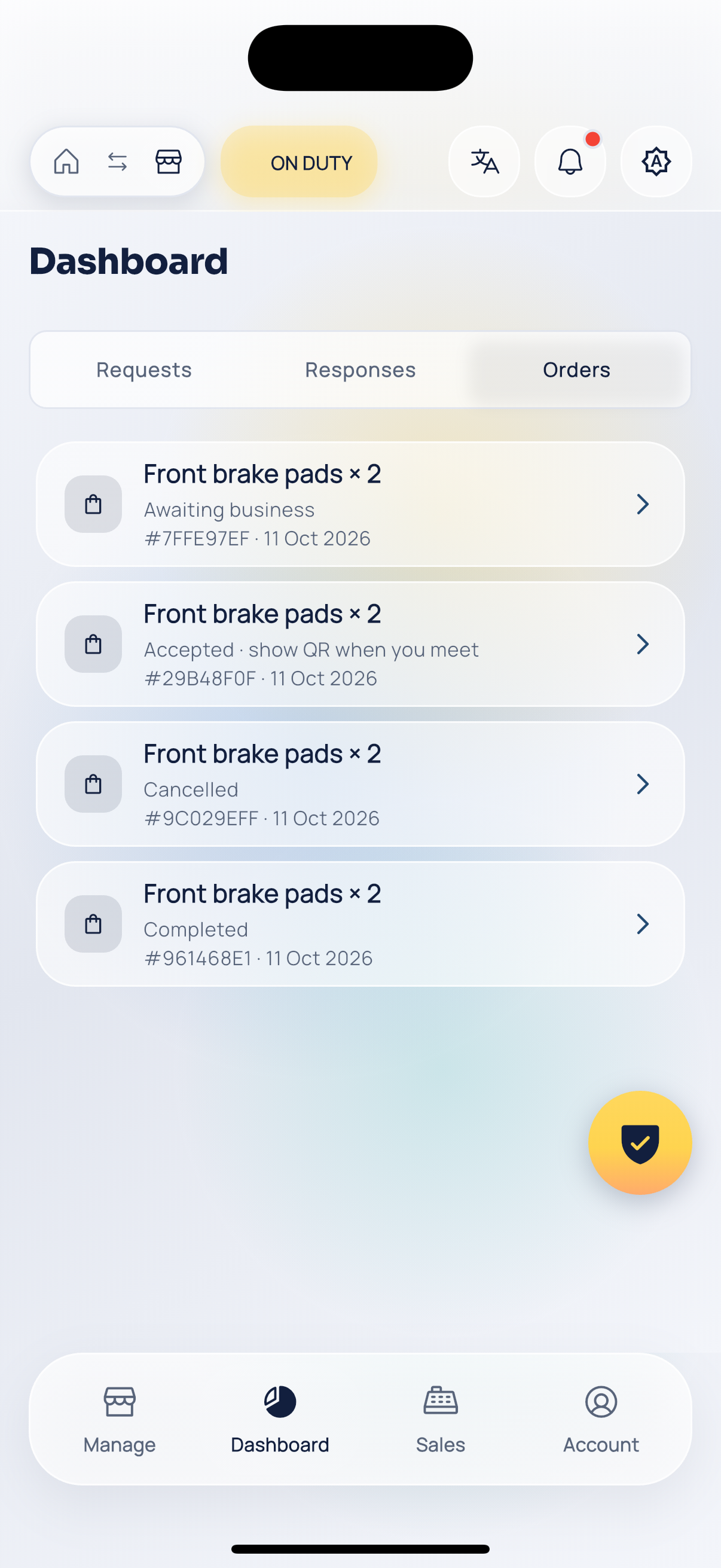
Business orders.
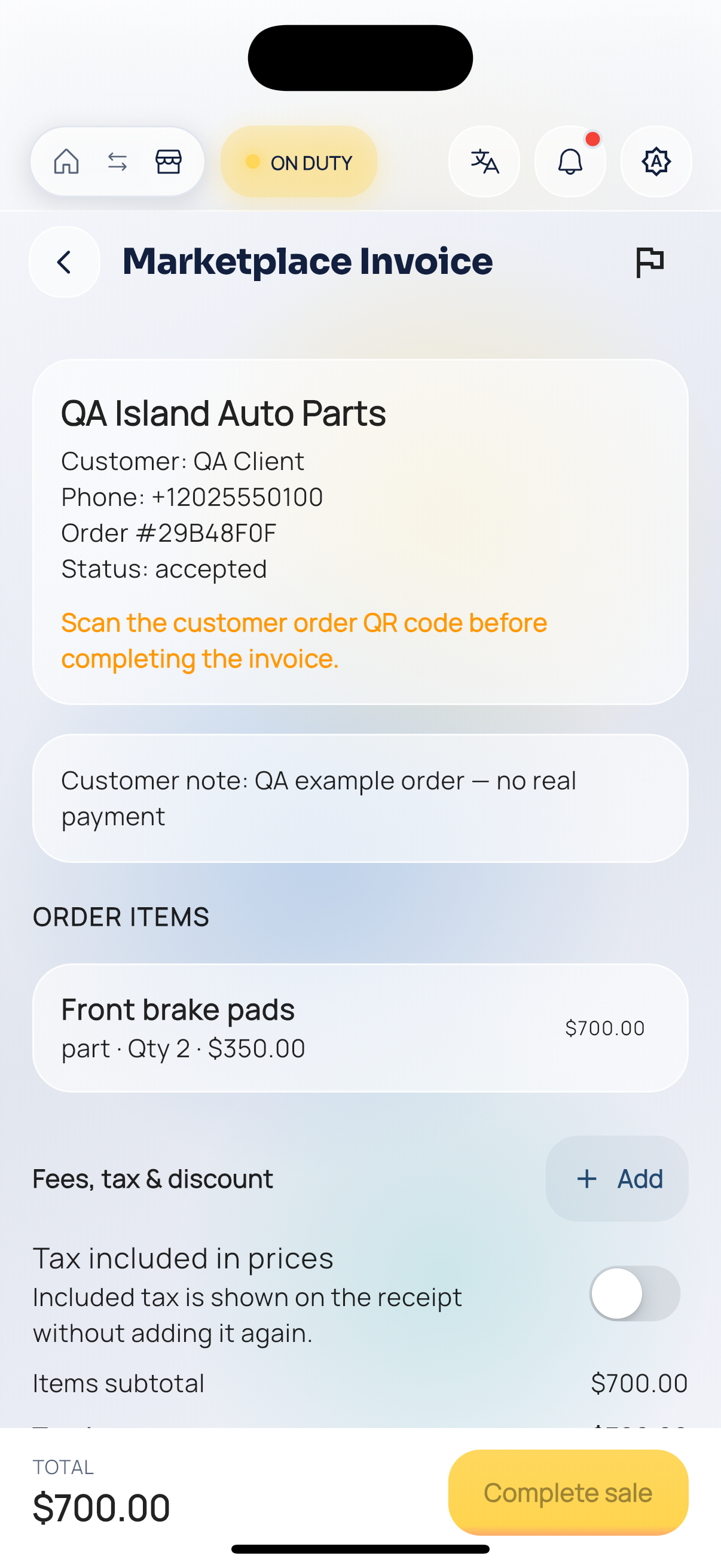
Business invoice.
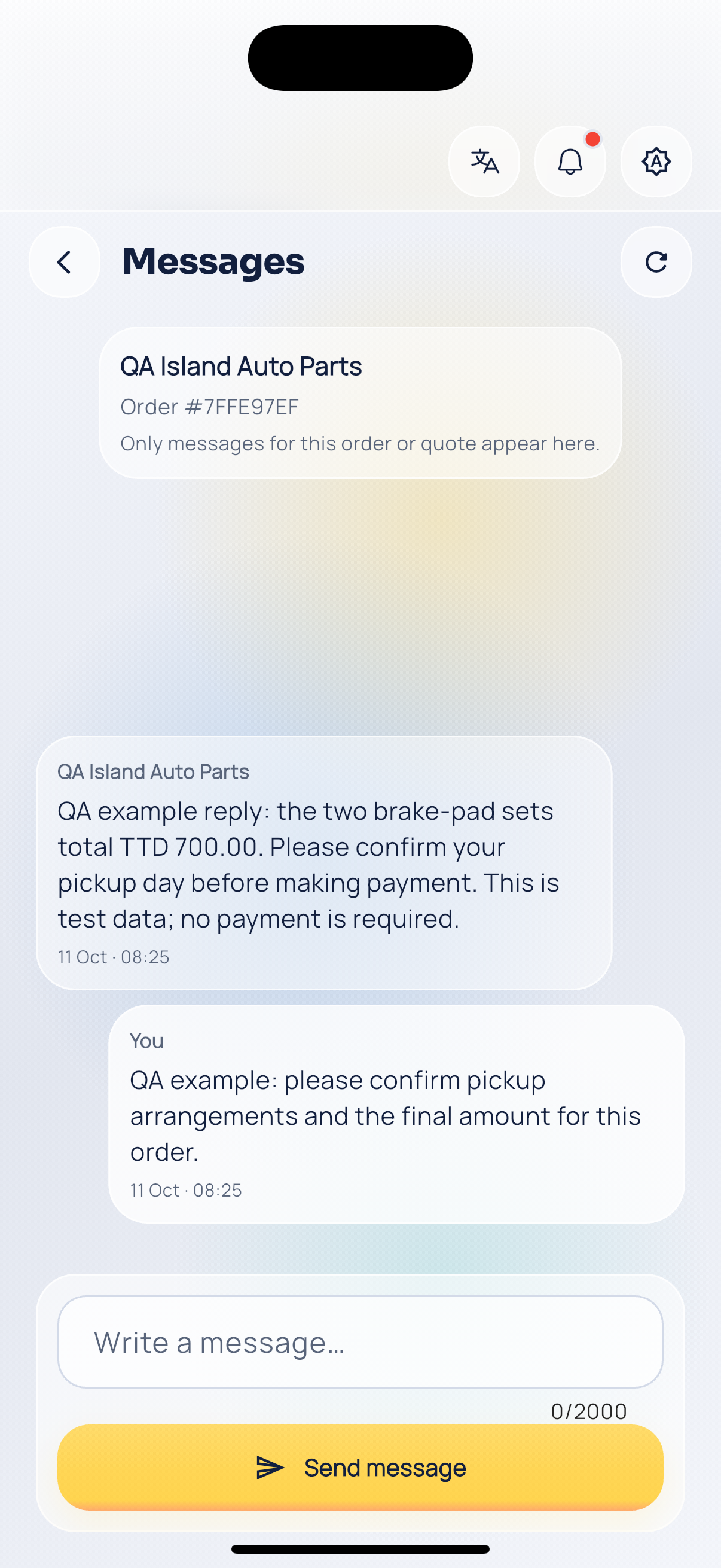
Order conversation.