Customers: Browse Auto Marketplace · 2 MIN READ
Check country, delivery and cross-island shipping
Who this is for: Customers
Steps
- Check the country shown on the listing and business shop.
- Read the business’s delivery, cross-island shipping and onsite-work options. These describe what the business offers; they do not arrange delivery automatically.
- When sending an order, include your destination and delivery requirements in its optional note.
- Open that order’s details and choose Messages to agree availability, delivery method, extra fees and the final price. For a request, Messages becomes available within each business’s quote after it responds.
- If messaging is paused, use the business’s visible contact details. Agree the complete amount with the business before paying, and check the receipt after the business records the sale.
Before you finish
You cannot start a general chat from a business shop. Each order or quote has its own conversation, and delivery fees are not calculated automatically. Cross-island listings depend on the seller’s plan and shipping setting.
Quote fees and fulfilment
Delivery and cross-island availability can be enabled per part or vehicle only when the business offers them. Fees apply to the whole quote, not each item. Service quotes can include onsite work and separately priced materials. Review these amounts and tax on the quote and the editable invoice. Message the business through the relevant request or order conversation; there is no unrestricted customer-to-business chat.
Screen guide
Fictional development examples. Prices, balances and account details are not real transactions.
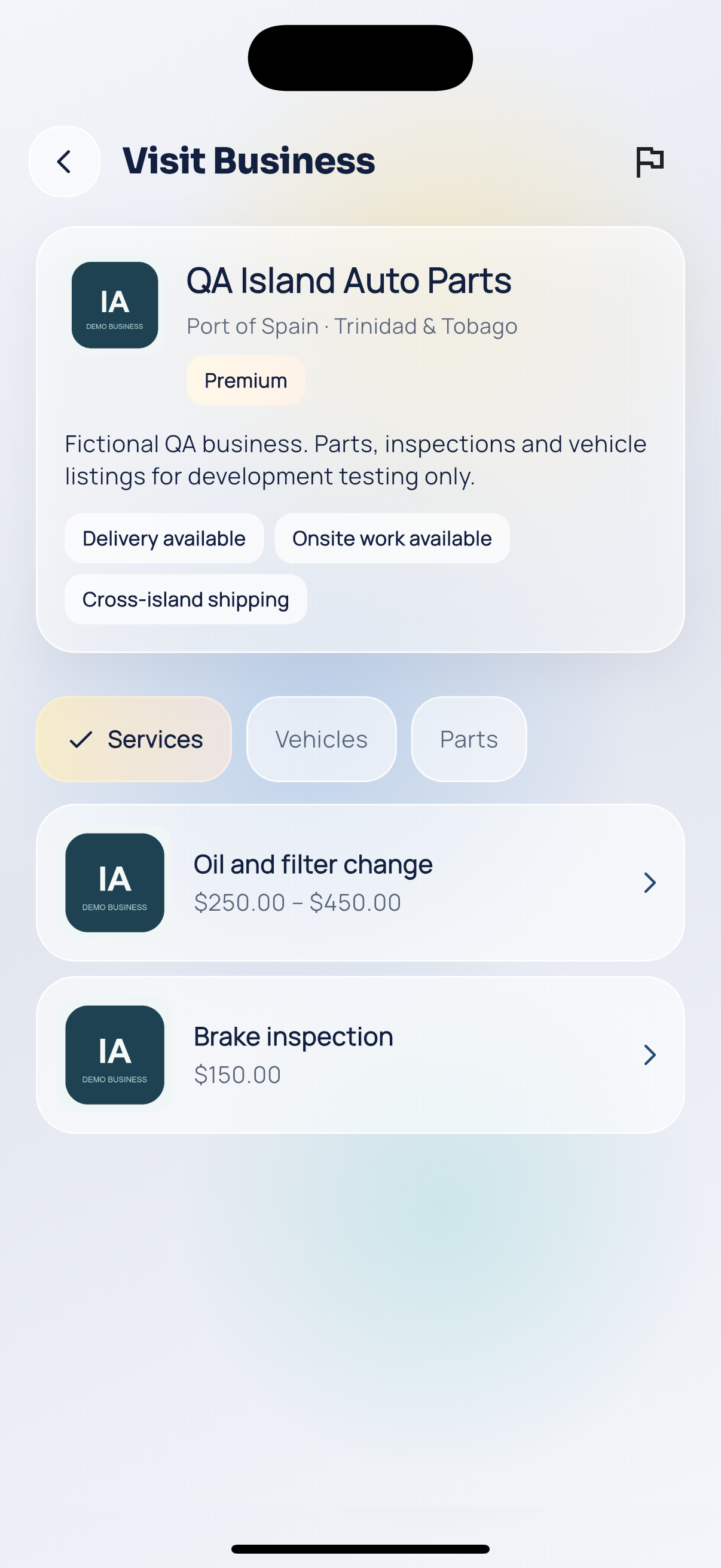
Shop fulfilment.