Businesses: Dashboard, Requests & Quotes · 2 MIN READ
Discuss and update a quote
Who this is for: Business owners and permitted staff
Steps
- Open the customer’s specific response and choose Messages.
- Agree changes in availability, quantities, service scope, destination or final price.
- Return to the response, update the editable quote and save. Sending a message does not change the quoted amount automatically.
- Review the revised total before recording the sale.
Before you finish
Every quote has a separate thread. Owners can turn Order and quote messages off or on in Edit Business Details; that setting saves immediately and applies to both participants. Pausing preserves history. Completed or closed threads are read-only.
Screen guide
Fictional development examples. Prices, balances and account details are not real transactions.
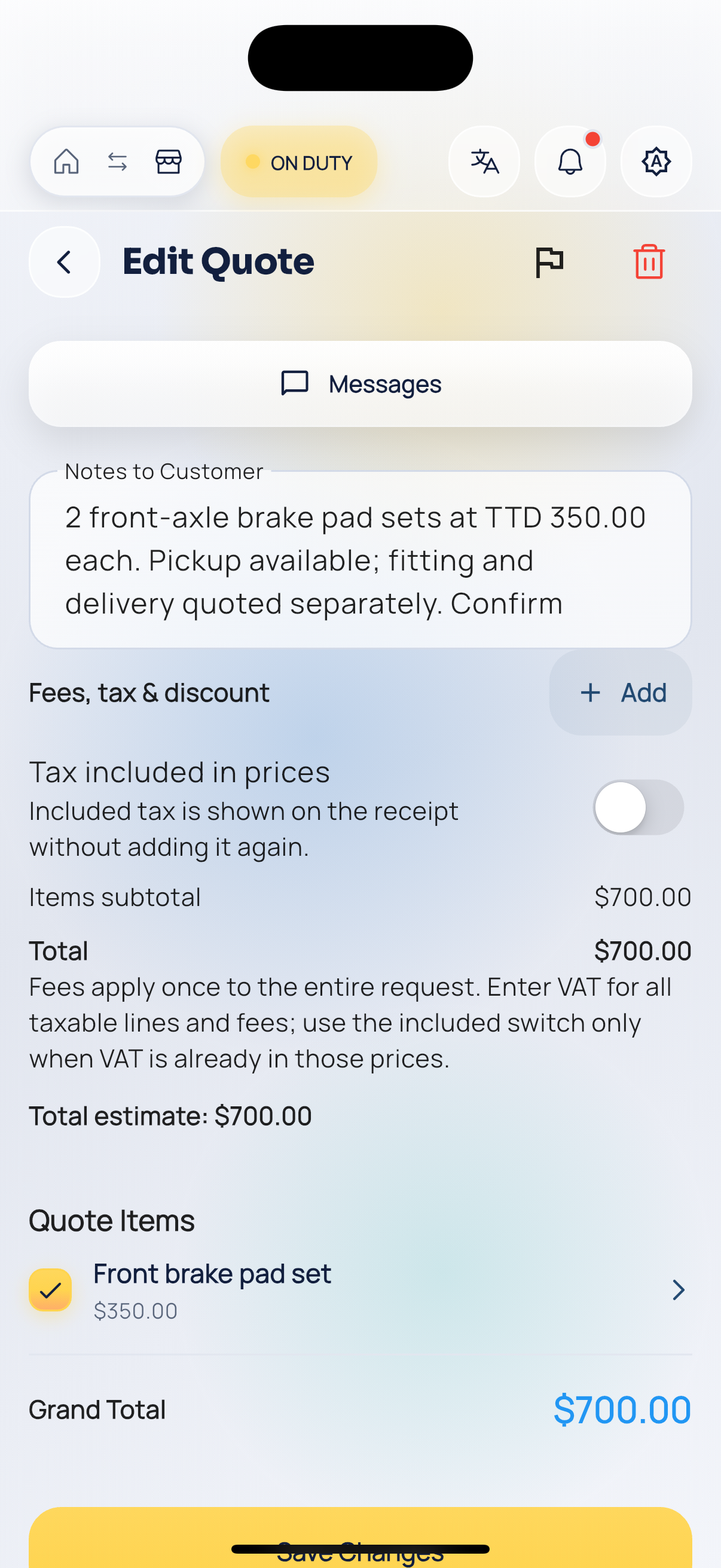
Business quote edit.
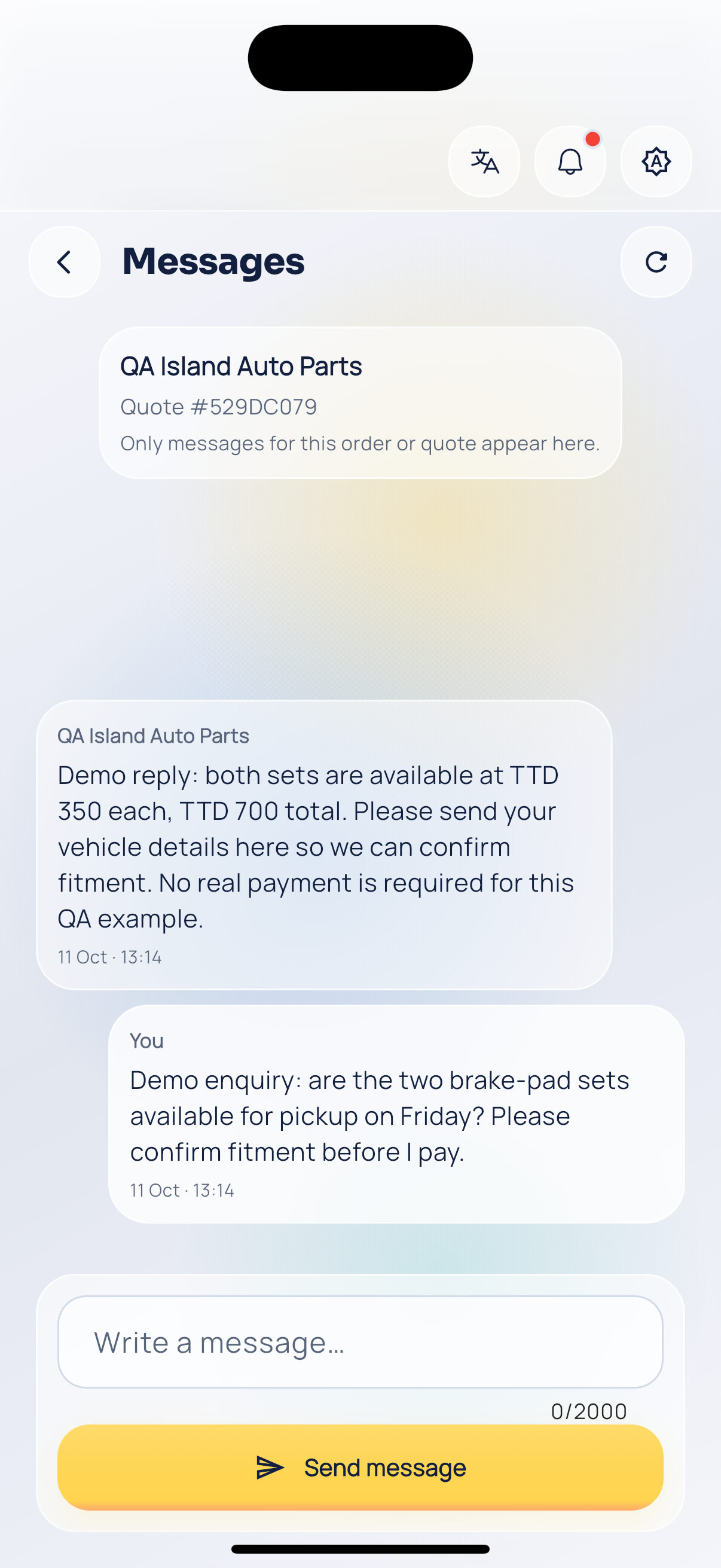
Quote conversation.