Customers: Requests, Quotes & Sales · 2 MIN READ
Review an updated quote
Who this is for: Customers
Steps
- Open a Quote updated notification, or reopen the business’s quote from Requests.
- Read the latest prices, quantities and availability.
- Choose Messages within that quote to discuss changes with the same business. Another business’s quote has a separate conversation.
- Agree the final items, service scope, delivery charges and amount before paying the business.
- After the business records the sale, check the receipt.
Before you finish
The latest editable quote replaces the earlier offer. The business can pause new messages; previous messages remain readable. Completed or closed conversations are read-only. Customers do not receive a separate draft-invoice preview in this flow.
Screen guide
Fictional development examples. Prices, balances and account details are not real transactions.
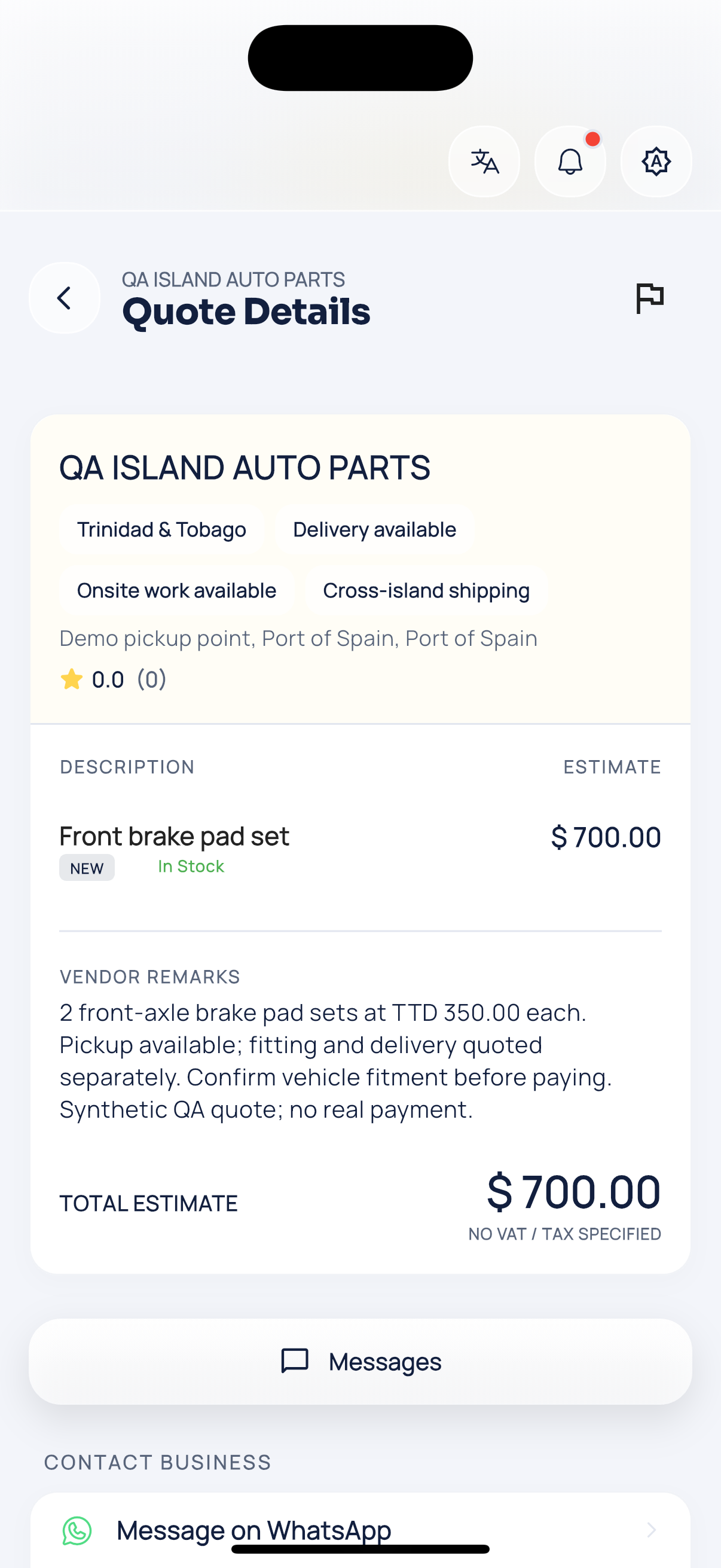
Quote details.
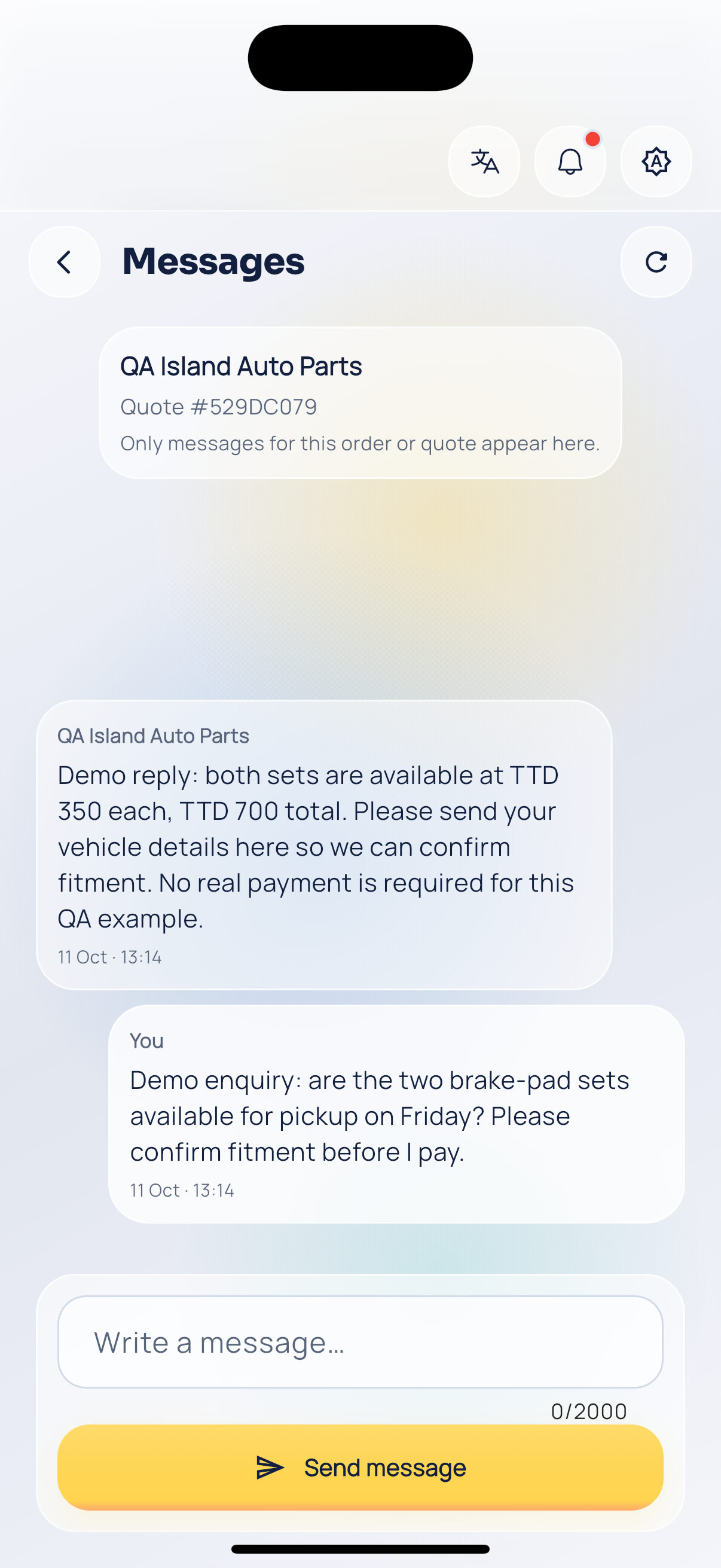
Quote conversation.